
Configure: S3-Compatible Object Storage
This guide explains how to integrate any S3-Compatible object storage with your WordPress site using the Media Cloud Sync plugin developed by Dudlewebs. It supports services like Cloudflare R2, Wasabi, DigitalOcean Spaces, MinIO, and many others.
This documentation is designed to help you successfully offload WordPress media files to scalable and performant cloud storage.
What Is S3-Compatible Storage?
S3-compatible storage systems replicate the Amazon S3 API, allowing you to use the same connection method across multiple storage providers. The plugin integrates with any of these services using a consistent workflow.
Popular providers include:
- Cloudflare R2
- Wasabi
- MinIO
- Backblaze B2
- Scaleway
- Linode
- IDrive E2
Configuration Steps
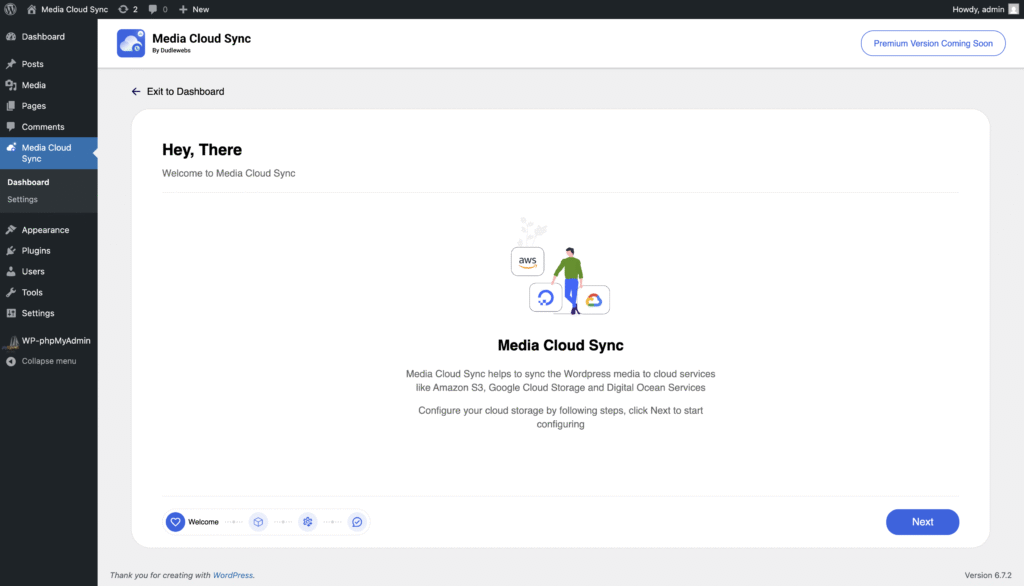
Step 1: Open Plugin Configuration
- Login to your WordPress Admin Dashboard
- Go to Dashboard > Media Cloud Sync > Configure
- Click Next on the welcome screen
Step 2: Select Provider
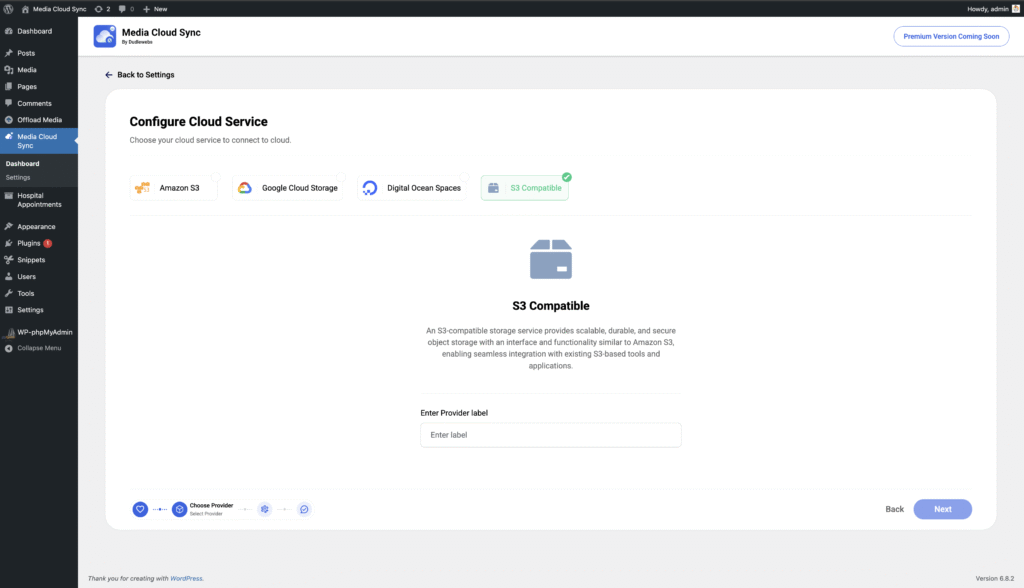
Choose S3 Compatible as your storage type
Provide a label for the connection (e.g., “Cloudflare R2”, “Wasabi Mumbai”)
Click Next
Step 3: Enter API Credentials
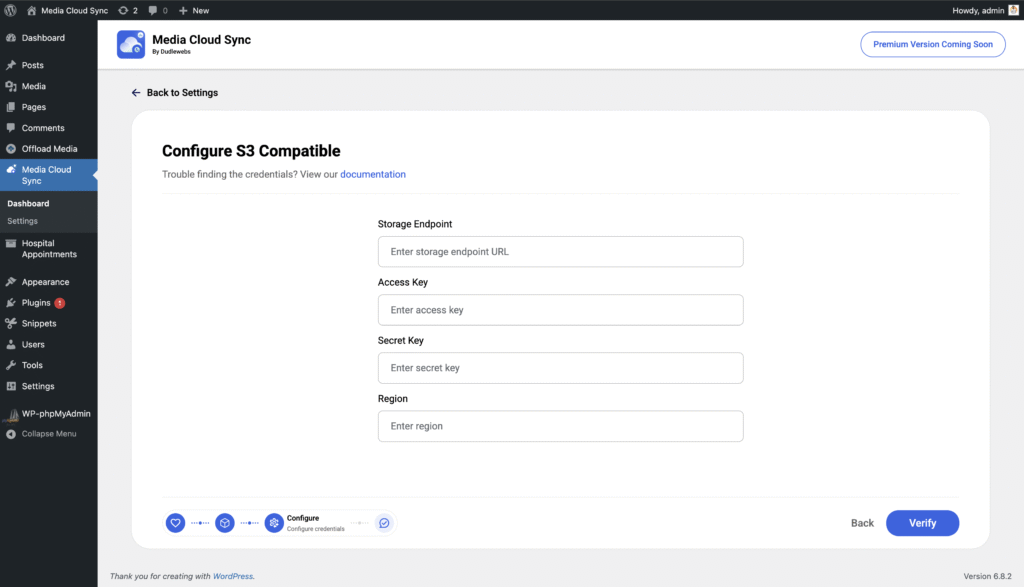
Fill out the following fields:
Endpoint URL: The base URL of your storage provider (see the full list below)
Access Key: Your provider’s access key
Secret Key: Your provider’s secret key
Region: Optional. Leave empty if the provider doesn’t require a specific region
Click Next to continue.
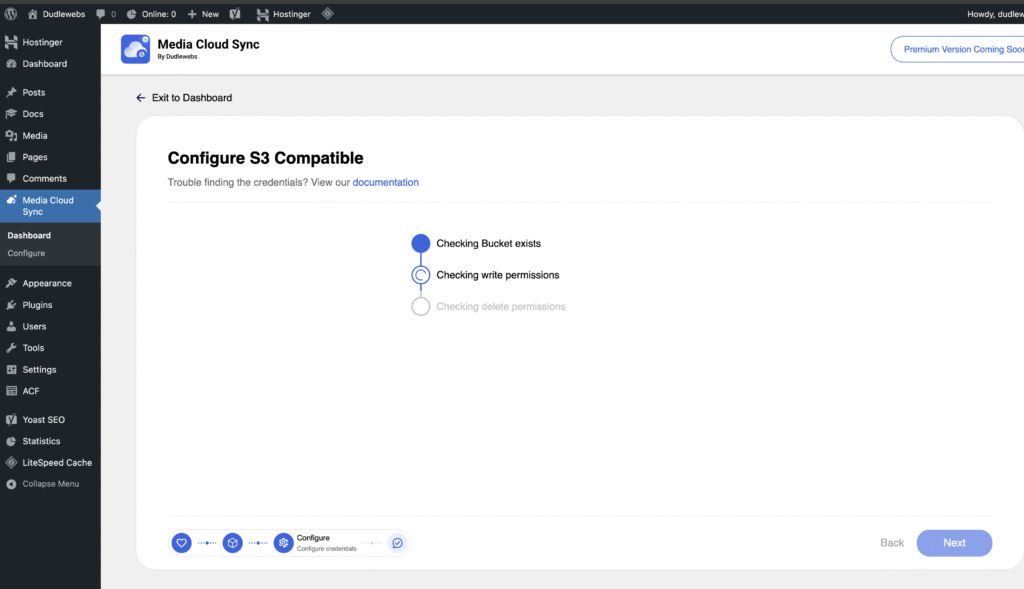
Step 4: Add Bucket
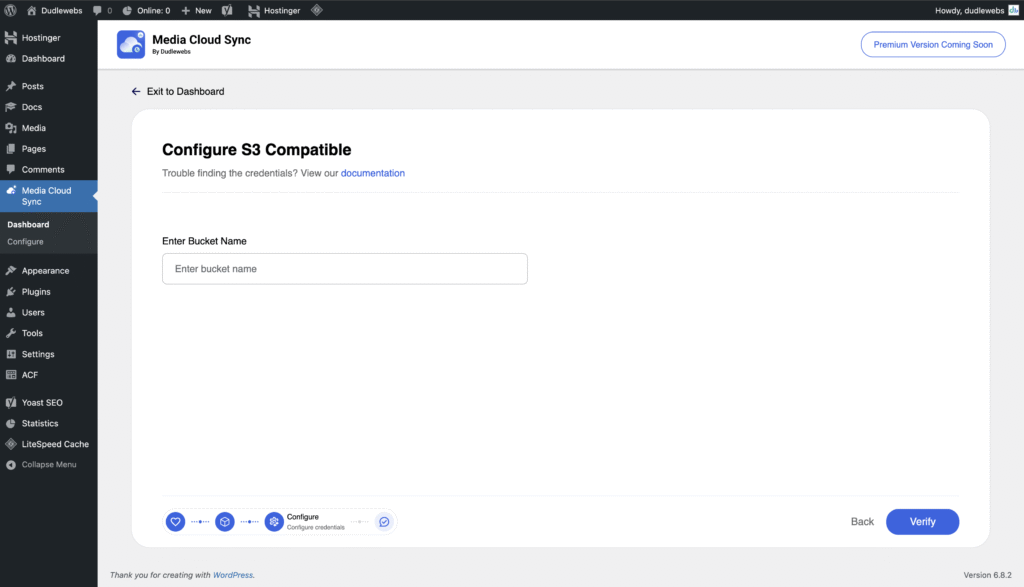
Enter your bucket name
Click Validate to validate the credentials
The plugin will validate the credentials against the bucket
If the validation succeeds, click Save
Step 5: Configure Delivery Provider (CDN)
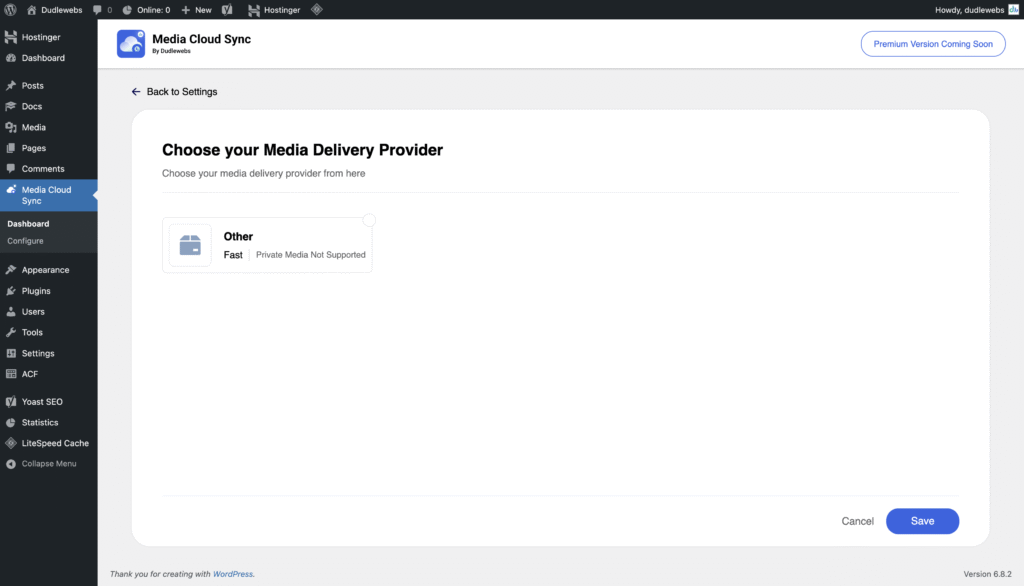
Choose a delivery provider. If it’s not listed, select Other
Add a label for the delivery provider (e.g., “Cloudflare R2 CDN”)
Click Next
Step 6: Set Public URL Base (CNAME)
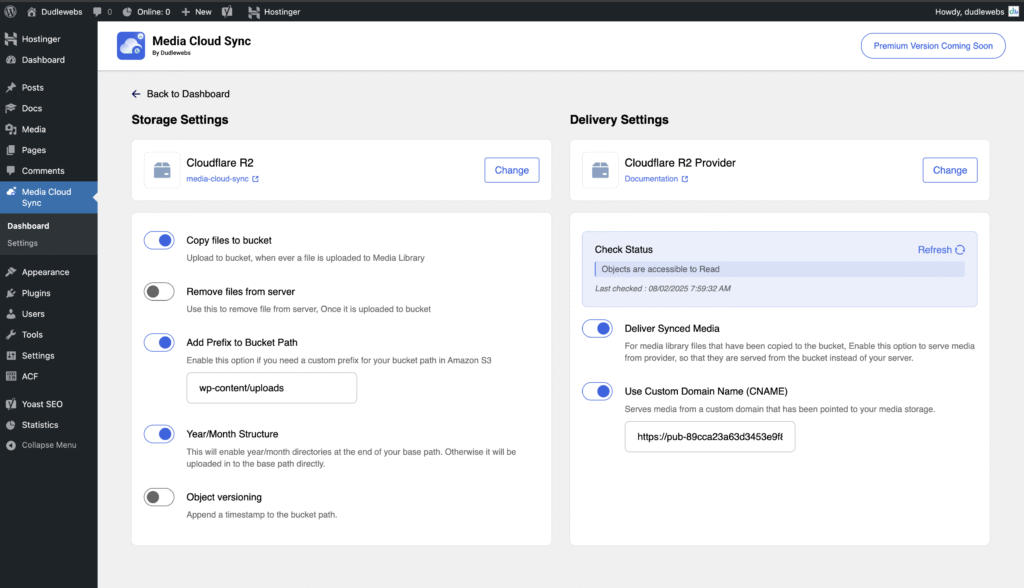
On the final settings page, locate the Enable CNAME and enable it.
Enter your media delivery URL (e.g., a CDN domain or public bucket URL)
Examples:
https://cdn.example.com
https://mybucket.r2.dev
Click Save Changes
Step 7: Verify Integration
Visit the Check Status section of the plugin
If everything is correct, you’ll see the message:”Object is accessible”
Common Endpoint URLs for S3-Compatible Providers
Below is a reference table of commonly used endpoint URLs for various providers:
| Provider | Region / Notes | Endpoint URL |
| Cloudflare R2 | Global | https://<account_id>.r2.cloudflarestorage.com |
| Public URL | https://<bucket_name>.r2.dev |
|
| Wasabi | US East 1 | https://s3.wasabisys.com |
| US East 2 | https://s3.us-east-2.wasabisys.com |
|
| US West 1 | https://s3.us-west-1.wasabisys.com |
|
| EU Central 1 | https://s3.eu-central-1.wasabisys.com |
|
| AP South 1 (India) | https://s3.ap-south-1.wasabisys.com |
|
| AP Southeast 1 | https://s3.ap-southeast-1.wasabisys.com |
|
| AP Northeast 1 | https://s3.ap-northeast-1.wasabisys.com |
|
| DigitalOcean Spaces | NYC3 (US) | https://nyc3.digitaloceanspaces.com |
| SFO2 (US) | https://sfo2.digitaloceanspaces.com |
|
| AMS3 (Europe) | https://ams3.digitaloceanspaces.com |
|
| SGP1 (Asia) | https://sgp1.digitaloceanspaces.com |
|
| Backblaze B2 | US West 004 | https://s3.us-west-004.backblazeb2.com |
| Scaleway | France (FR-PAR) | https://s3.fr-par.scw.cloud |
| Netherlands (NL-AMS) | https://s3.nl-ams.scw.cloud |
|
| Poland (PL-WAW) | https://s3.pl-waw.scw.cloud |
|
| Oracle Cloud Infrastructure (OCI) | S3 Compatibility (Path Style) | https://<namespace>.compat.objectstorage.<region>.oraclecloud.com |
| S3 Compatibility (Virtual Host Style)* | https://<bucket_name>.vhcompat.objectstorage.<region>.oraclecloud.com |
|
| MinIO (Self-hosted) | Local | http://localhost:9000 |
| Hosted | https://<your-domain>/minio |
|
| Linode | US East (Newark) | https://us-east-1.linodeobjects.com |
| US Central (Dallas) | https://us-central-1.linodeobjects.com |
|
| EU Central (Frankfurt) | https://eu-central-1.linodeobjects.com |
|
| AP South (Mumbai) | https://ap-south-1.linodeobjects.com |
|
| IDrive E2 | US East | https://s3.us-east-1.idrivee2-22.com |
| US West | https://s3.us-west-1.idrivee2-22.com |
|
| EU Central | https://s3.eu-central-1.idrivee2-22.com |
|
| Storj (via gateway) | Global | https://gateway.storjshare.io |
| Ceph (Self-hosted) | Custom | http://<your-ceph-server>:<port> |
| OpenStack Swift (S3) | Custom | Depends on S3 gateway setup |


 Submit a Ticket
 Chat with Us