

Change Storage ClassPRO
Change Storage Class keeps older media in a cheaper storage class. URLs stay the same, and files are copied in place on the storage side, not downloaded.
It works with Amazon S3, Google Cloud Storage, and Cloudflare R2. Other providers have one storage class, so the tool has nothing to move files to.
Open it from Tools → Change Storage Class.
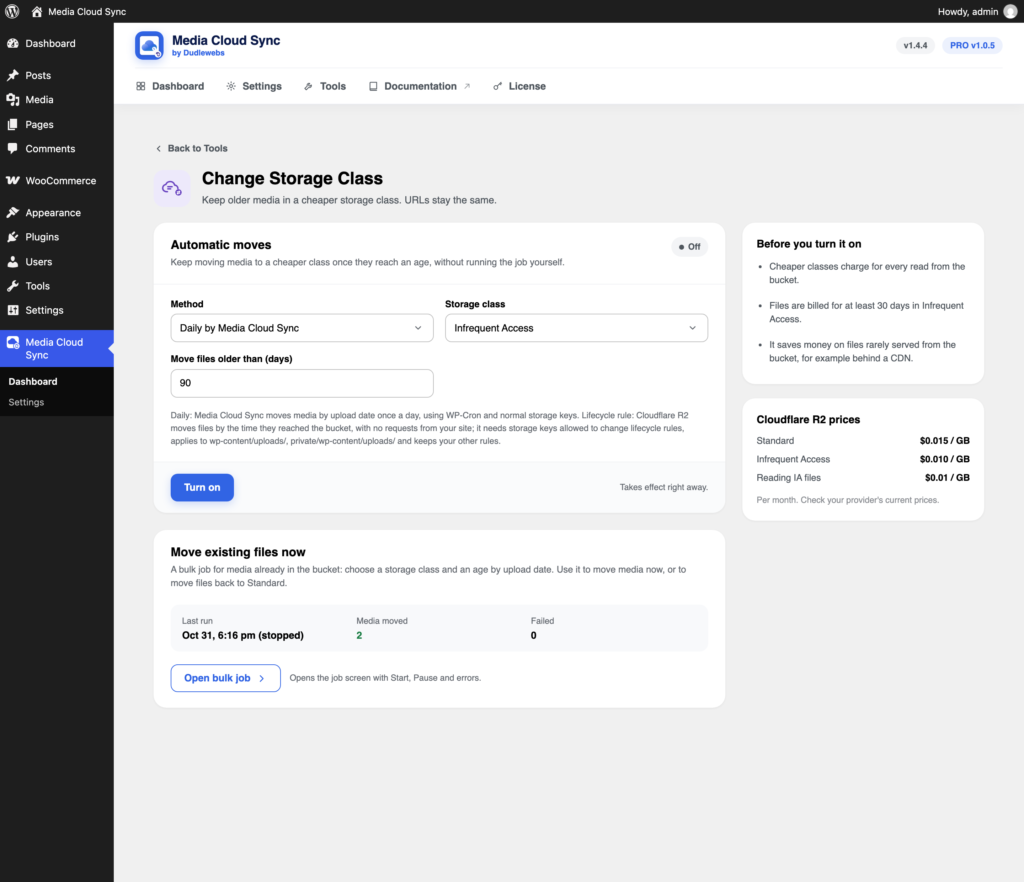
The classes offered depend on your provider:
| Provider | Classes |
|---|---|
| Amazon S3 | Standard, Intelligent-Tiering, Standard-IA, One Zone-IA, Glacier Instant Retrieval |
| Google Cloud Storage | Standard, Nearline, Coldline, Archive |
| Cloudflare R2 | Standard, Infrequent Access |
Before you turn it on: cheaper classes charge for every read from the bucket, and bill a minimum storage period. They save money on files rarely served from the bucket, for example behind a CDN. Check your provider’s current prices.
Automatic moves
Keeps moving media to a cheaper class once it reaches an age, without running the job yourself.
- Choose a Method:
- Daily by Media Cloud Sync: moves media by upload date once a day, using WP-Cron and normal storage keys.
- Lifecycle rule: your provider moves files by the time they reached the bucket, with no requests from your site. It needs storage keys allowed to change lifecycle rules, and keeps your other rules.
- Choose the Storage class and Move files older than (days).
- Click Turn on. It takes effect right away.
Use Update to change it and Turn off to stop. Files already moved stay in their storage class.
On Amazon S3, a lifecycle rule can only move files to the IA classes after 30 days or more.
Move existing files now
For media already in the bucket, or to move files back to Standard, click Open bulk job.

Click Start, then choose the Storage class and Older than (months), by upload date. The dialog shows how many media items match.

With an age of 0, every synced file is moved, including other sources such as WooCommerce downloads. It covers the main file, its sizes, originals, and backups. With object versioning on in your bucket, each moved file gets a new version.