

Clean Orphaned RecordsPRO
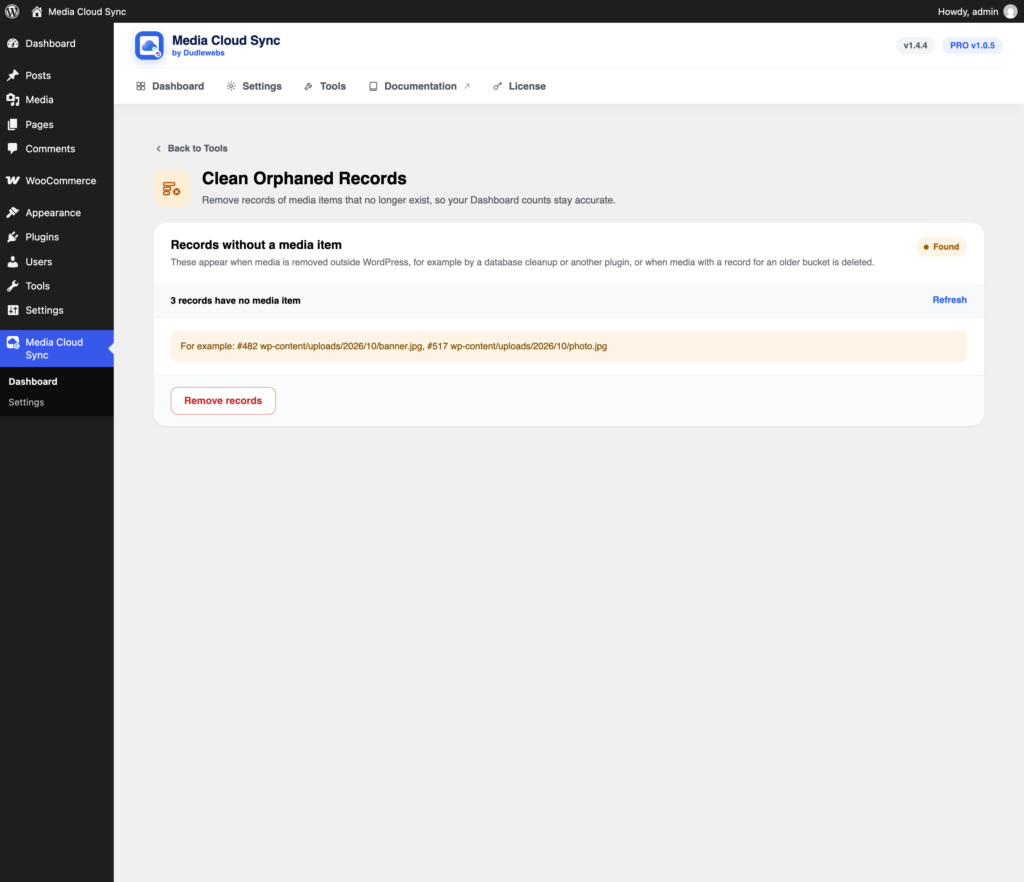
Clean Orphaned Records removes records of media items that no longer exist, so your Dashboard counts stay accurate. Only records are removed: no files are deleted.
Open it from Tools → Clean Orphaned Records.
Where they come from
- Media removed outside WordPress, for example by a database cleanup or another plugin.
- Media with a record for an older bucket being deleted.
Removing them
The card shows how many records have no media item, with a few examples. If there are none, it says Clean.
- Click Remove records.
- Confirm with Remove.
On a very large site, one run may not finish. The message tells you how many are left: click Remove records again to continue.
What happens to the files
- Files in the connected bucket then appear in Clean Up Unused Files, where you can delete them.
- Files in other buckets stay there until you remove them yourself.